
The photo booth nobody has to touch
Stand your iPad or iPhone by the TV. When guests step close, Photo Booth Party counts down, snaps three photos, and puts them in front of party backgrounds with no green screen. The photos play on your TV, and guests save theirs to their phones. Birthdays, Christmas, Halloween, New Year, weddings, office parties: any party.

Everyone gets in the photo, nobody fiddles with the device
Set it up once, then enjoy your own party.
Completely hands-free
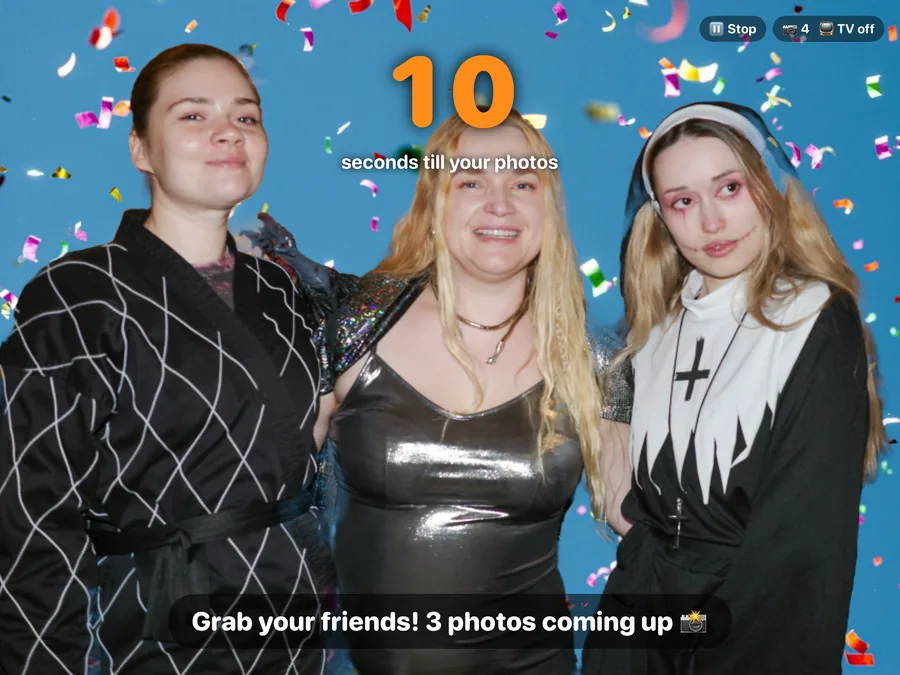
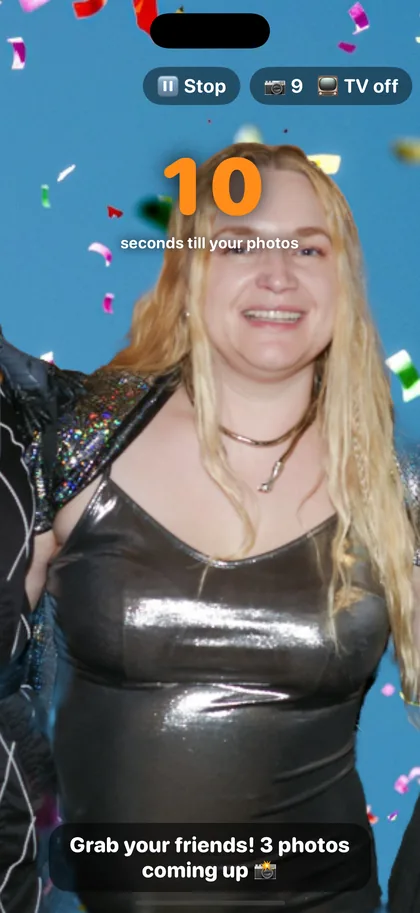
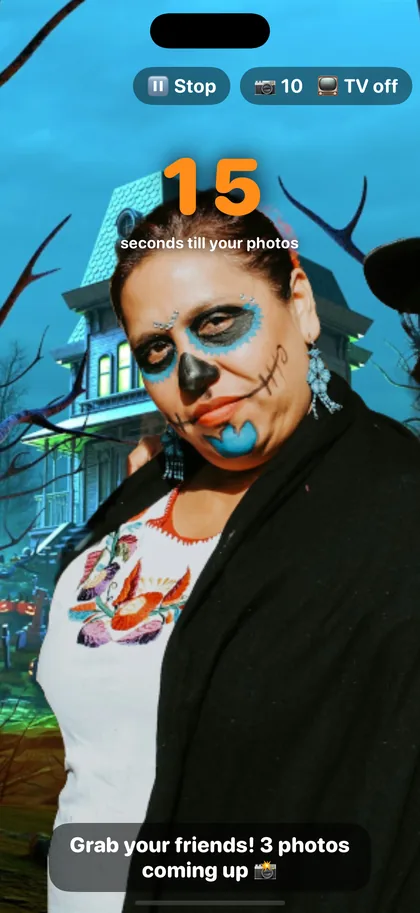
Stand it by the TV and guests never touch it. It sees when people step close and starts a 20-second countdown by itself, in any orientation.
Three photos, three poses
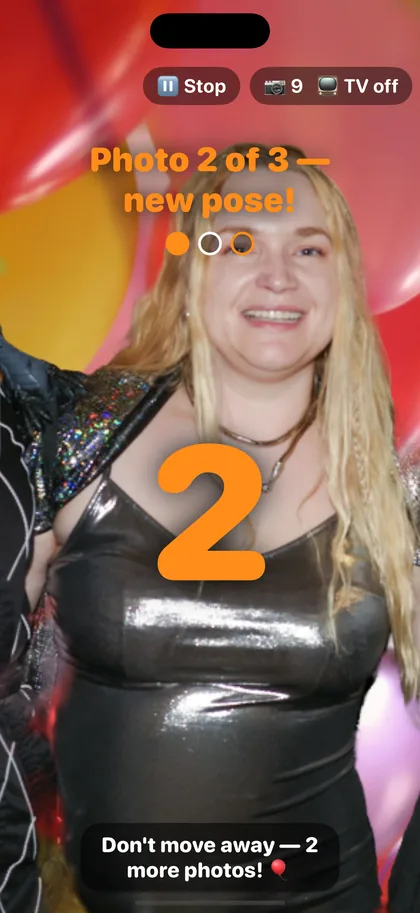
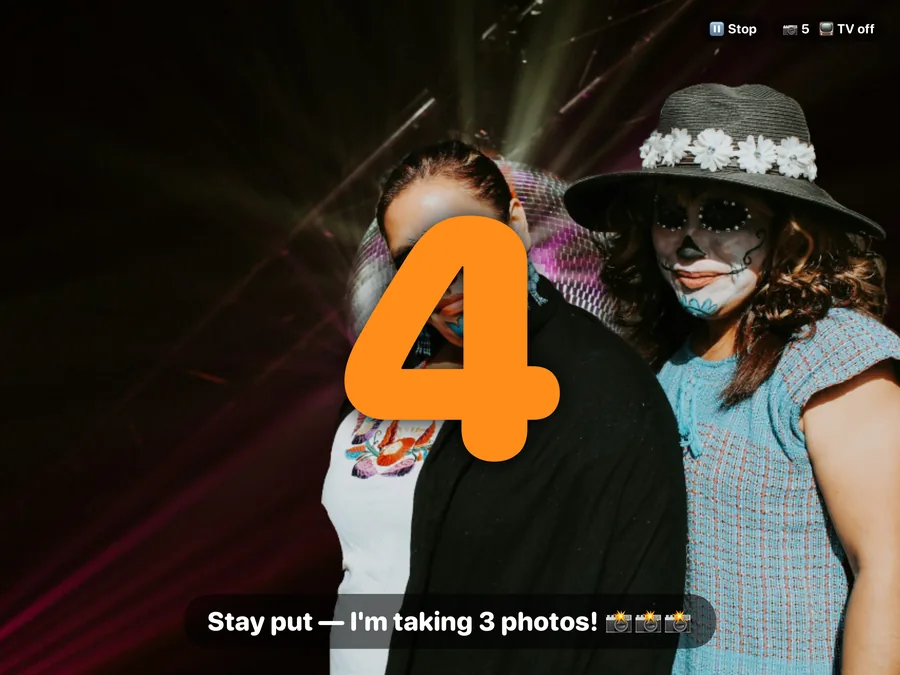
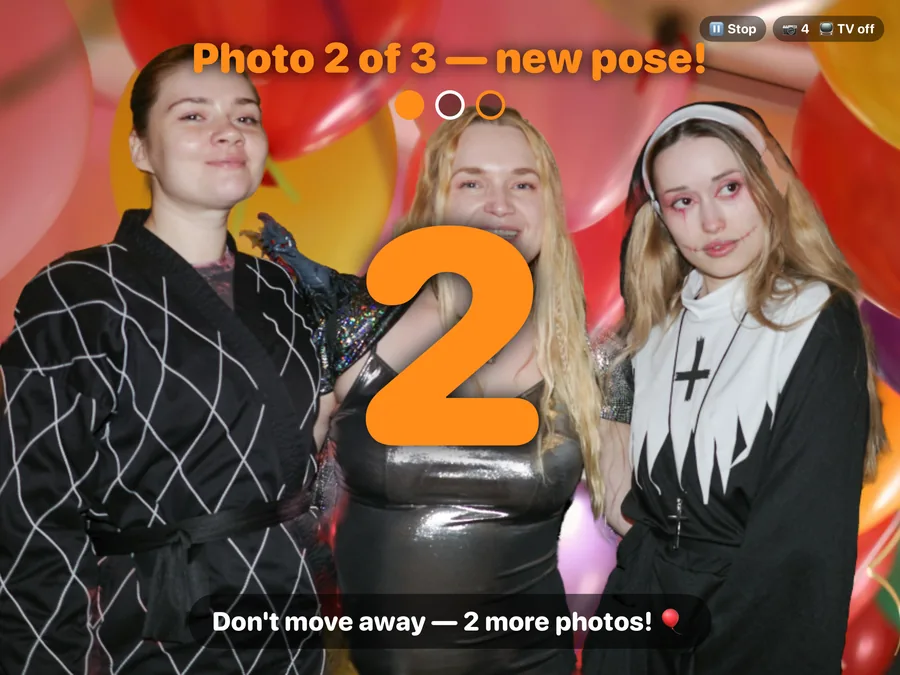
Each visit is a burst of three photos, with a clear “Photo 1 of 3” and a 3-2-1 between shots.
Backgrounds, no green screen
An on-device person cut-out puts guests in front of confetti, balloons, snowy cabins or haunted mansions. Some rounds use the real room.
Party on the big screen
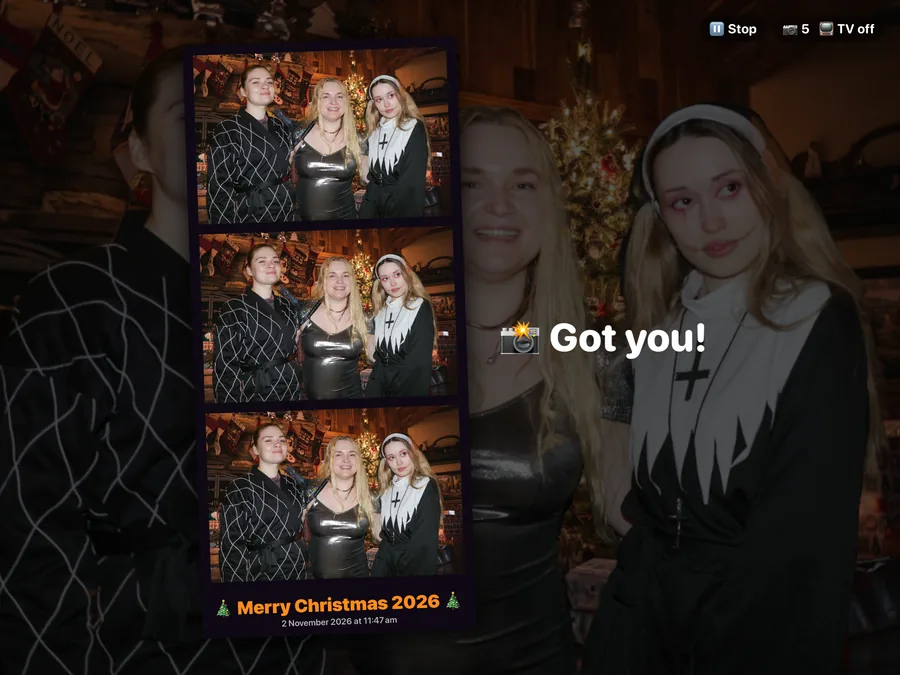
With AirPlay to an Apple TV, the newest burst plays as a flip-book, then a slideshow of the whole party with a QR code.
Scan, save, share
Each burst becomes a photo strip and an animated GIF, saved to Photos. Guests on your Wi-Fi scan the QR code to open a gallery and save their own photos.
Private by design
No accounts and nothing is uploaded to the internet. The gallery is served by your device itself to your Wi-Fi.
A theme for every party
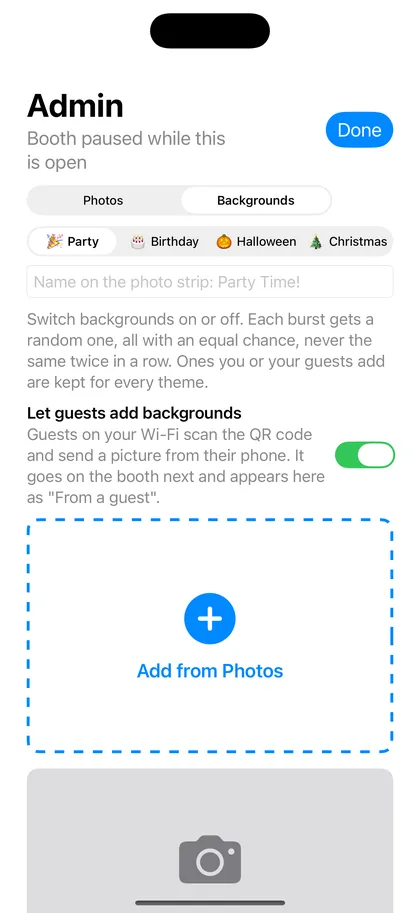
Each theme brings its own backgrounds and its own wording. Type an event name like “Happy 40th Sam!” and it's printed on every photo strip.
Party
Confetti, disco ball, neon, Ferris wheel, beach lanterns.
Birthday
Balloons, candles, bunting, streamers.
Halloween
Haunted graveyard, gothic mansion, foggy forest, pumpkins.
Christmas
Tree and fireplace, snowy cabin, snowy forest, baubles.
See it in action
Real screens from the app, on iPad and iPhone.
How it works
Set up in a few minutes, then the booth runs itself.
Prop it up
Stand your iPad or iPhone by the TV and start AirPlay mirroring to your Apple TV.
Step in and pose
Guests step in front of the device and pose. The countdown and the photos start by themselves.
Watch the TV
The newest photos flip through on the TV, then join a slideshow of the whole party with a QR code.
Scan to save
Guests on your Wi-Fi scan the QR code to open the gallery and save their own strip or GIF.
You stay in charge
Tap the photo count for the host admin: delete bursts, choose the theme and event name, switch backgrounds on or off, delete them, add your own from Photos, and use the Stop/Start button while you set up. Guests can also send their own background picture from their phone, and it's used next. Turn that off any time.
Questions before you buy
Everything people usually ask about Photo Booth Party. Something else? Ask us.
What do I need to run it?
An iPad or iPhone with iOS or iPadOS 17 or later. That's it. A TV with AirPlay and home Wi-Fi make it better, but neither is required.
Do I need an Apple TV?
No. The booth works on its own and guests see themselves on the iPad or iPhone. If you have an Apple TV or an AirPlay-compatible smart TV, mirror to it and the photos play on the big screen as a slideshow for the whole party.
Do I need a green screen?
No. The app cuts people out of the camera image on the device itself and puts them in front of the background, in any room. Plain, uncluttered walls and good lighting give the cleanest edges.
How does it know when to take a photo?
It watches for people stepping up close. When someone is in front of it, a 20-second countdown starts, then it takes three photos with a 3-2-1 between each, so there's time to change poses. Nobody has to press anything.
Will people walking past set it off?
No. It only starts when someone is standing close, roughly within a couple of metres, and fills a good part of the picture. Guests across the room don't trigger it, and if everyone walks away the countdown cancels.
What do guests get?
Each turn makes three full-size photos, a classic photo strip with your event name on it, and an animated GIF. Everything is saved to your device's Photos library.
How do guests get their photos?
A QR code appears on the TV. Guests on your Wi-Fi scan it with their phone camera and a gallery opens in their browser, where they save their strip, GIF or photos. They don't need to download an app or sign up.
Are the photos uploaded to the internet?
No. There are no accounts, no cloud and no tracking. The gallery is served by your iPad or iPhone over your own Wi-Fi, so only people on your network can see it, and only while the app is open. You can delete any photo at any time.
Does it need an internet connection?
No. The booth, the TV slideshow and the guest gallery all work without internet. The gallery just needs guests' phones on the same Wi-Fi network as your device.
What backgrounds and themes are included?
Four themes: Party (confetti, disco ball, neon, Ferris wheel), Birthday (balloons, candles, bunting), Halloween (haunted graveyard, gothic mansion, foggy forest, pumpkins) and Christmas (tree and fireplace, snowy cabin, snowy forest). Each theme has its own on-screen wording, and some turns keep the real room for a mix.
Can I use my own backgrounds?
Yes. Add any picture from your Photos library, like a holiday snap, a team logo or the birthday person's baby photo, and switch any background on or off. You can also let guests send a background from their phone, and it's used for the next photo. That's off until you turn it on.
Can I put our event name on the photos?
Yes. Type a name such as “Happy 40th Sam!” or “Smith Wedding 2026” and it's printed at the bottom of every photo strip.
How good are the photos?
The booth takes real photos at the full resolution of your device's front camera, not frames from a video. Newer iPads and iPhones have sharper, better low-light cameras, so the newer the device the better the photos. A well-lit spot helps more than anything.
Can guests mess with the iPad or iPhone?
They never need to touch it. To stop anyone leaving the app, turn on Guided Access in Settings › Accessibility before the party. You can pause the booth with the Stop button while you set up, and open the host screen by tapping the photo count.
Should I use it upright or sideways?
Either works. Sideways (landscape) fits groups best and suits a TV; upright works well for one or two people. Keep the device plugged in. The screen stays on for the whole party, so it uses more battery than usual.
Ready to start the party?
Photo Booth Party is coming soon to the App Store for iPad and iPhone.
Coming soon on theApp StoreNeeds an iPad or iPhone with iOS or iPadOS 17 or later. Apple TV is optional.